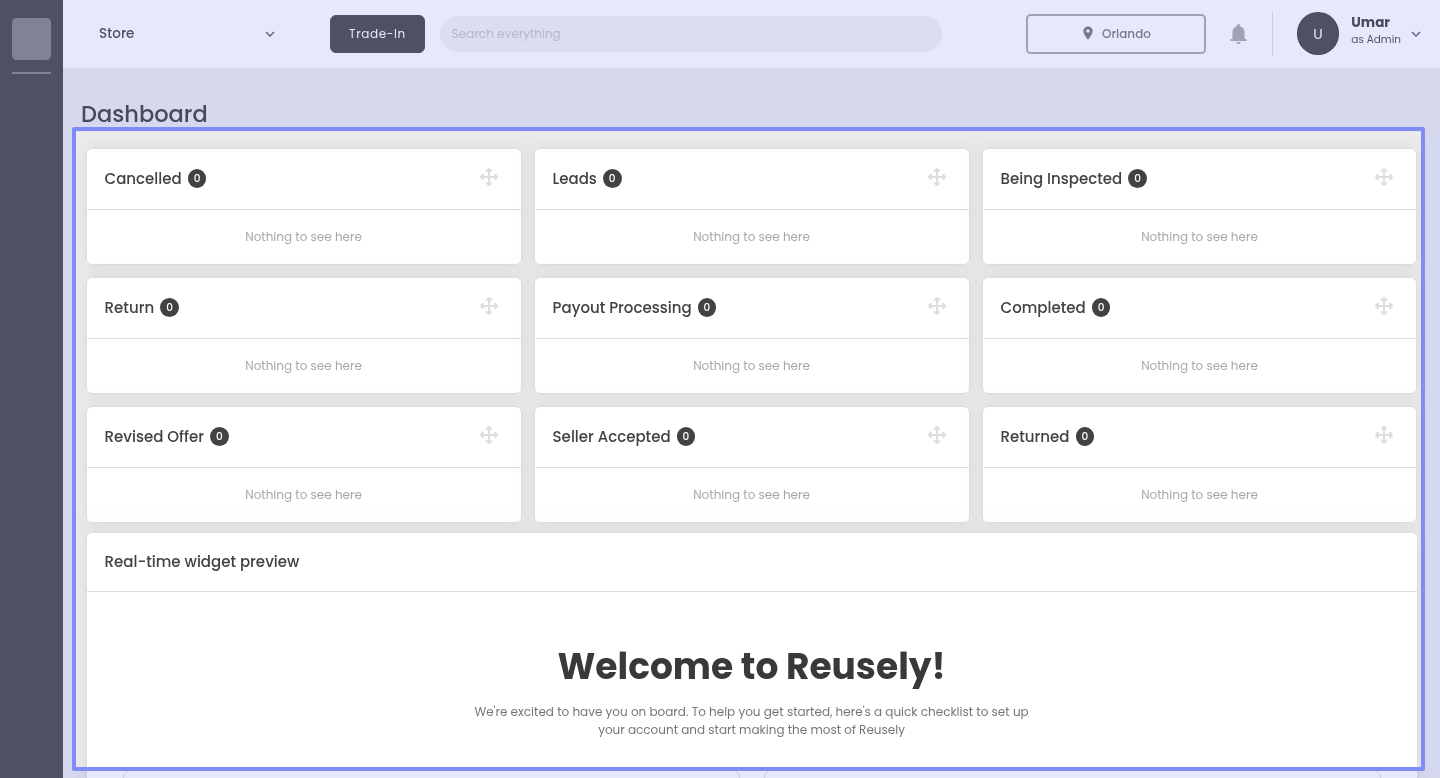
As a brand-new user, when I finish onboarding, I’m shown the Offer Status summary card—but since I haven’t made any offers yet, the whole thing is just empty. It looks a bit broken and makes me wonder if I missed a step.
Example: I complete the onboarding, land on the dashboard, and see the Offer Status board with lots of columns (Leads, Being Inspected, Completed, etc.) all at 0 with “Nothing to see here.” I haven’t created an offer yet or finished the Real-time widget preview, so the card isn’t helpful.
What I’m asking for:
Please hide the Offer Status card until I’ve created my first offer or I’ve finished the Real-time widget preview.
This would make the first-time experience feel cleaner and less confusing.